← dev-mux

Demo

The Command Center cockpit, without an account

There is no free tier and no anonymous demo hub to click into — a live hub is a real, billed spoke connection. Instead, here is what the cockpit looks like: screenshots and a short walkthrough GIF, captured from a synthetic demo fleet (fictional codebases, no real machines, repos, or customer data) running the same cockpit build that ships to customers.

Walkthrough
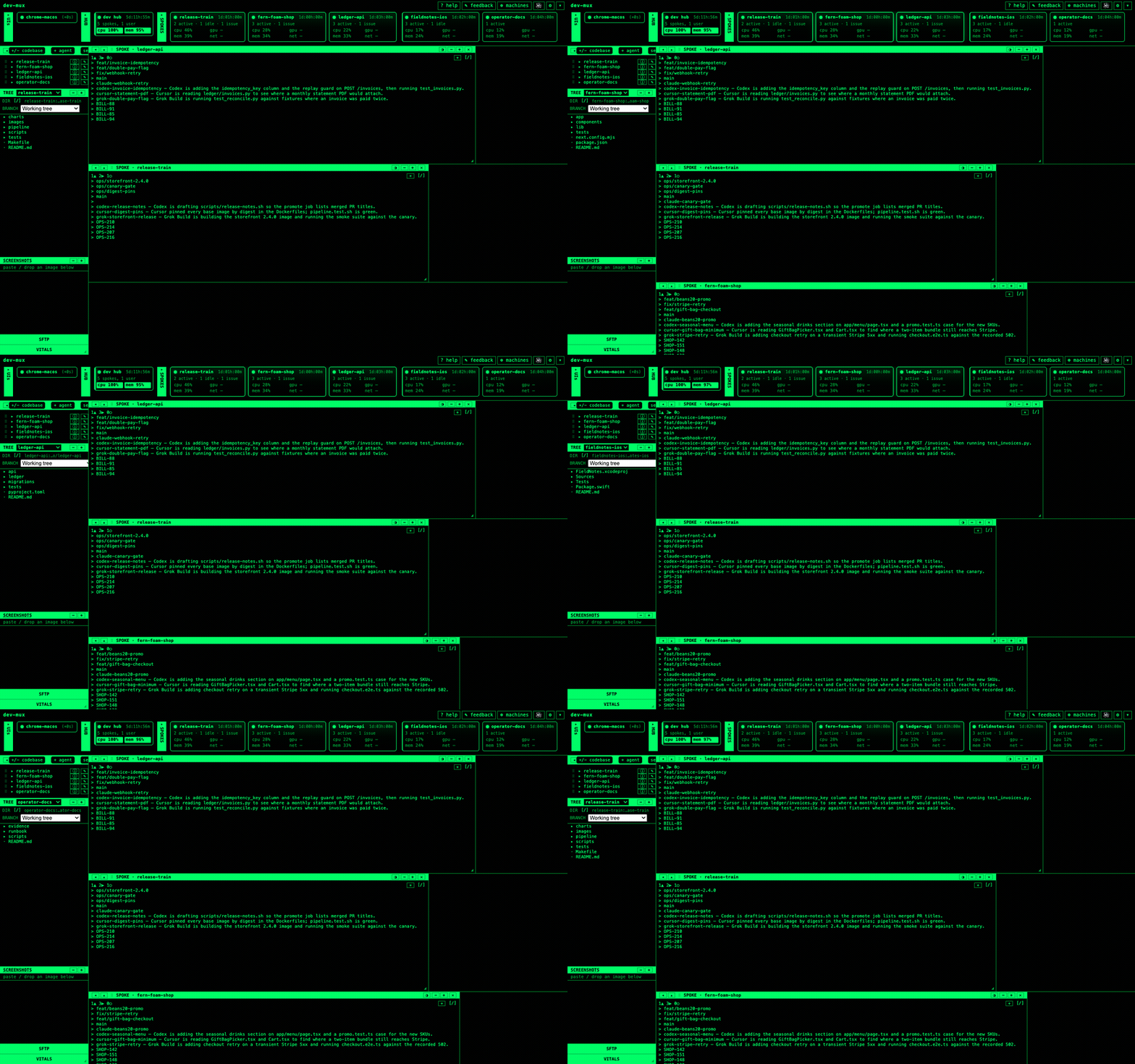
Animated walkthrough of the dev-mux cockpit switching between five sample codebase spokes — release-train, fern-foam-shop, ledger-api, fieldnotes-ios, and operator-docs — each showing its file tree, branches, and agent sessions.
Switching codebases. The left rail lists every spoke in the fleet; picking one loads its file tree, its open branches, and the agent sessions currently working it, live.

Screenshots

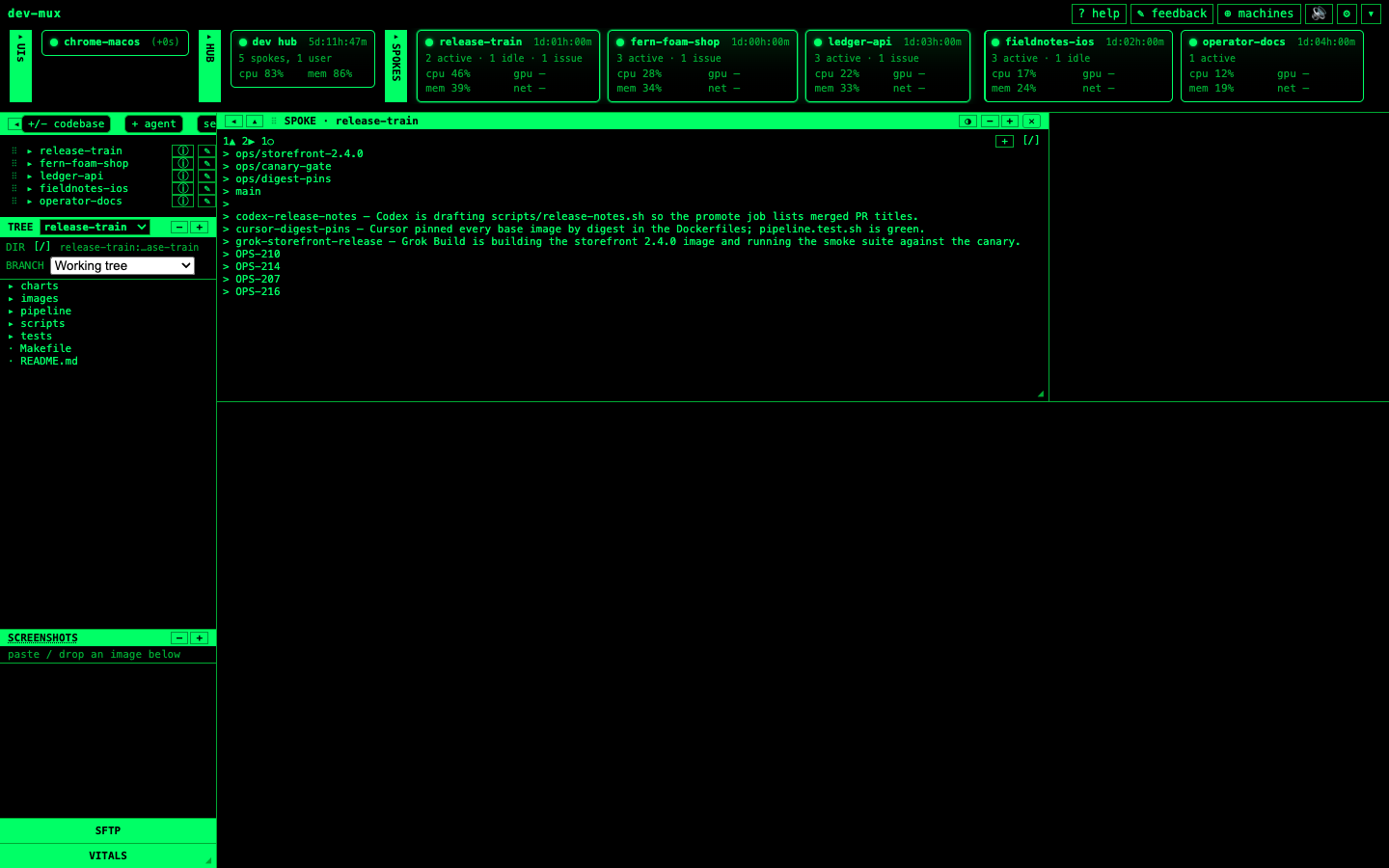
dev-mux Command Center fleet overview: five sample codebase spokes (release-train, fern-foam-shop, ledger-api, fieldnotes-ios, operator-docs) each with live CPU, memory, and session counts, plus the release-train codebase's file tree, branches, and ticket list open.
Fleet overview. Every spoke's health and session mix at a glance — active, idle, or needing a decision — with the selected codebase's tree, branches, and linked tickets alongside it.
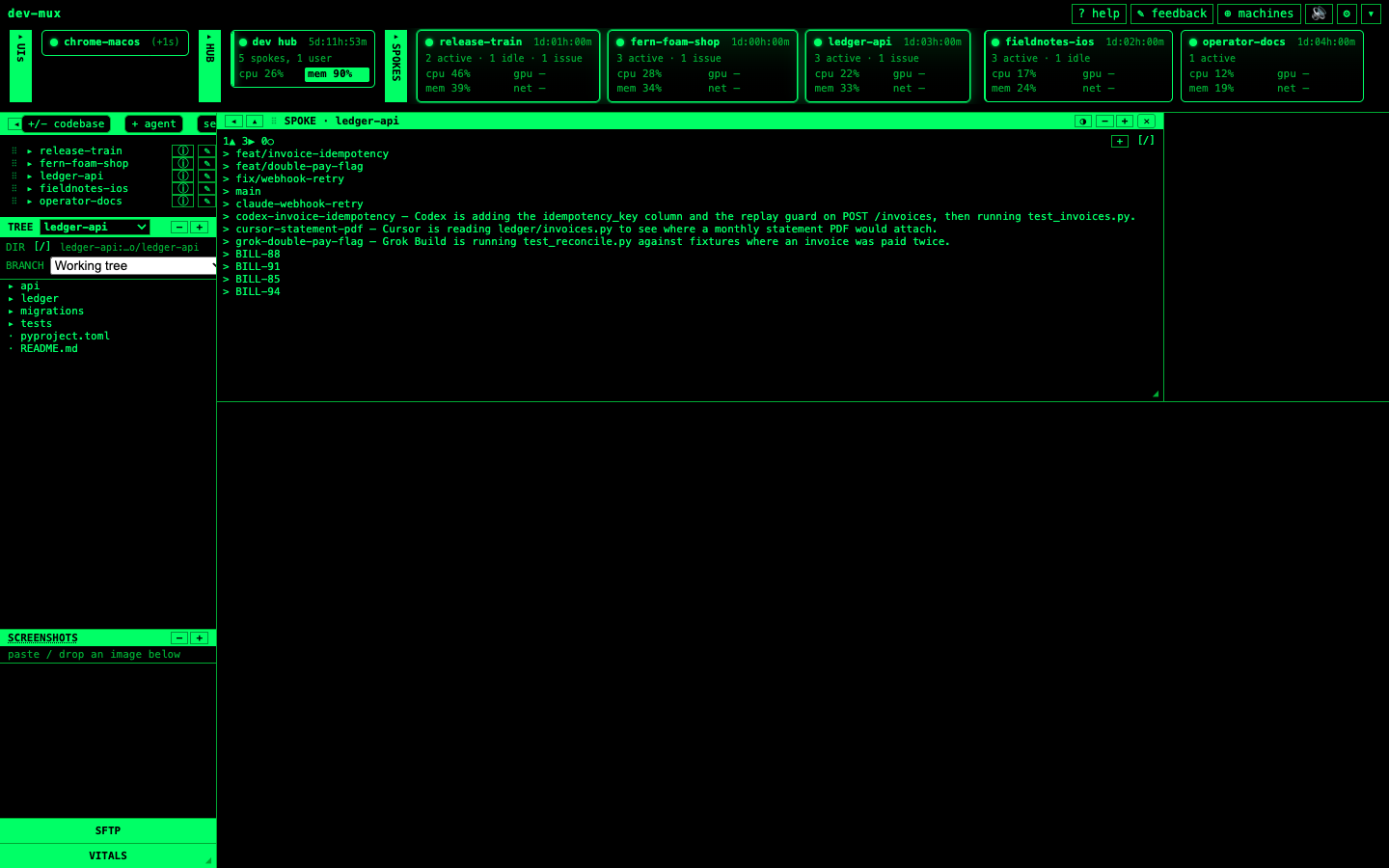
A codebase workspace pane for the ledger-api spoke, listing its branches, four agent sessions (Claude Code, Codex, Cursor, Grok Build) each with a one-line status, and four linked tickets.
Session workspace. One codebase, several agents working it in parallel — each session's status line, its ticket, and its branch, so you know who is doing what before you open a terminal.
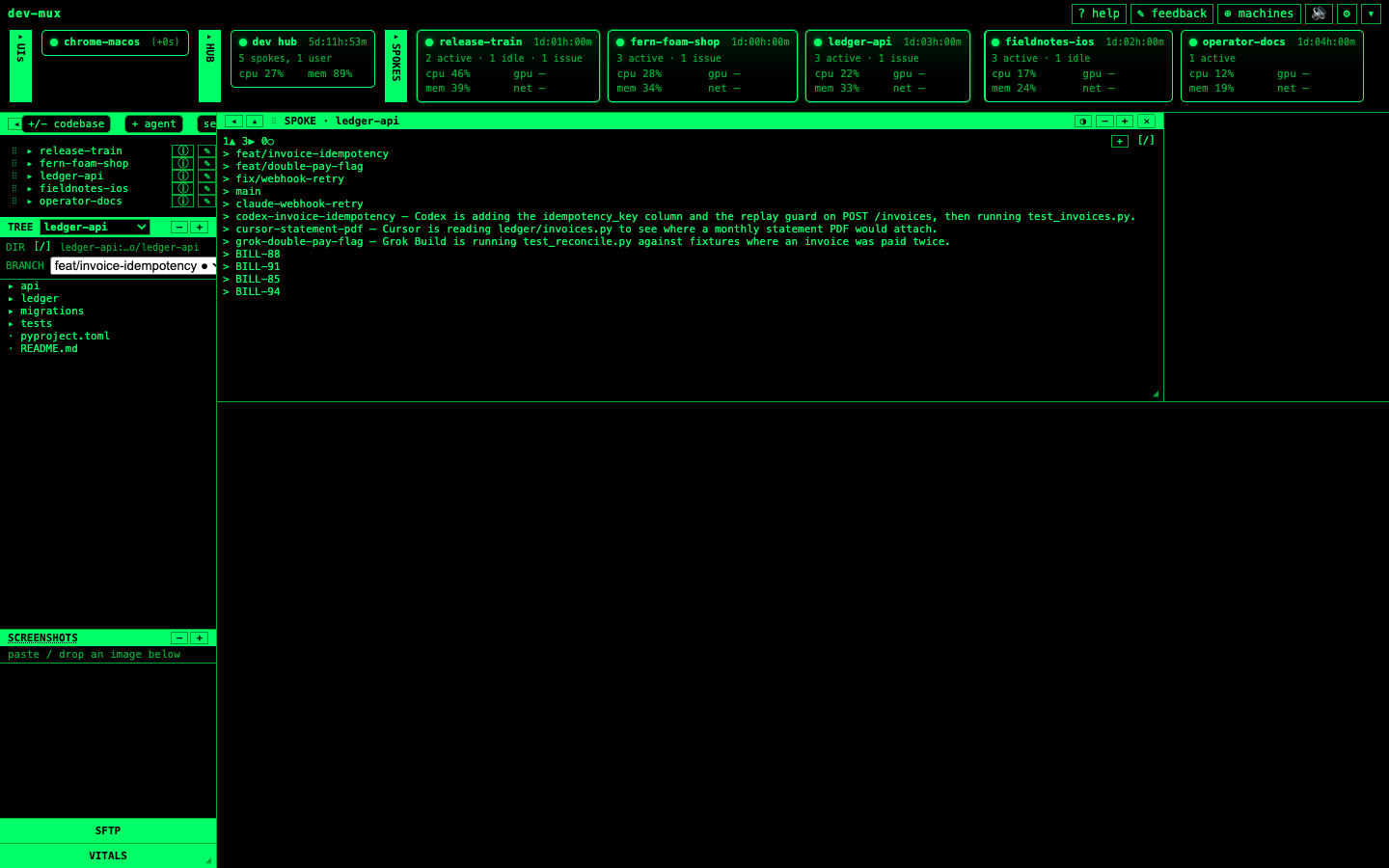
The cockpit's branch selector open on the ledger-api spoke, with feat/invoice-idempotency selected for a read-only look at that branch's tree.
Branch browsing. Pick any open branch for a read-only look at its tree — useful for checking what an agent actually changed without leaving the cockpit.
What this is not. The fixture fleet above is scripted and does not accept input — it exists to show the interface, not to run real agents. Reconnecting a live terminal session needs a real spoke (a machine you control, reachable over SSH/tmux), which is what a paid plan sets up.

See pricing


Showing something stale, or want the media refreshed? Tell us.